
In our previous blog, we explored what Microsoft Copilot is and the major updates arriving in 2026. Now it’s time to go deeper into one of the most transformative pieces of the puzzle: Microsoft Copilot Studio.
If Copilot is your AI-powered assistant, Copilot Studio is where you build AI agents that go far beyond assistance—they automate workflows, make decisions, interact with customers and employees, and operate autonomously across your business systems. The best part? You don’t need to be a developer to get started.
In this blog, we’ll break down what Copilot Studio is, how to build AI agents step by step, the real business use cases that are driving adoption in 2026, and why this platform is becoming essential for modern business automation.
What Is Microsoft Copilot Studio?
Microsoft Copilot Studio is a low-code, SaaS-based platform that enables organizations to build, customize, and deploy AI-powered agents. These agents can understand natural language, reason over your business data, execute multi-step workflows, and interact with users across multiple channels—all without requiring deep coding expertise.
Think of it as the bridge between your business processes and AI. Where Power Automate handles the workflow execution and Power Apps handles the user interface, Copilot Studio handles the conversation, reasoning, and decision-making layer—the intelligence that ties everything together.
Copilot Studio integrates deeply with the Microsoft ecosystem:
Microsoft 365 — for internal productivity and employee-facing agents
Microsoft Teams — deploy agents directly inside your communication platform
Power Automate — trigger automated workflows from agent conversations
Dynamics 365 — support sales, service, and operations teams with CRM/ERP data
SharePoint & Dataverse — as knowledge sources and data repositories for agents
1,400+ prebuilt connectors — connect to third-party systems like SAP, Salesforce, ServiceNow, and more
What Exactly Is an AI Agent?
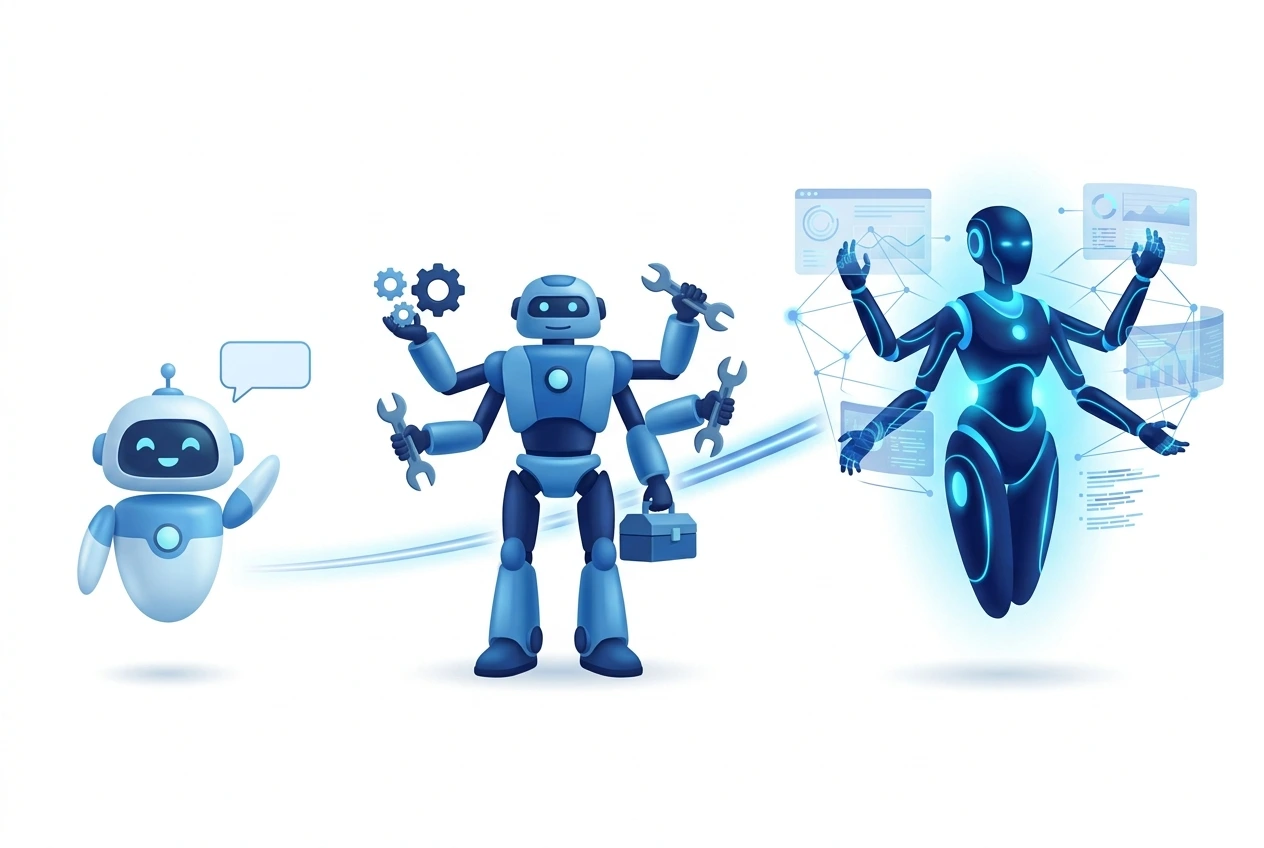
Before we dive into building, let’s clarify what an AI agent actually is—because it’s more than just a chatbot.
An AI agent is a software entity that can understand goals, reason over data, plan multi-step actions, execute tasks, and adapt its behavior based on context—all with minimal human intervention. Unlike traditional chatbots that follow scripted decision trees, AI agents built in Copilot Studio leverage large language models (LLMs) and generative AI to handle dynamic, unpredictable conversations and processes.
AI agents in Copilot Studio operate across a spectrum of complexity:
Agent Type | Description & Best For |
Assistive Agents | Answer questions by retrieving and summarizing information from connected knowledge sources. Best for FAQ bots and internal knowledge assistants. |
Task-Oriented Agents | Take actions when asked—automate workflows, trigger processes, and replace repetitive manual tasks. Best for IT helpdesk, HR self-service, and order processing. |
Autonomous Agents | Operate independently—dynamically plan, learn, escalate, and coordinate with other systems. Best for end-to-end process automation like procurement, compliance, and supply chain management. |
The 2026 updates have particularly strengthened the autonomous agent capabilities—enabling agents that can react to triggers, plan dynamically, orchestrate multi-step workflows, and even coordinate with other agents.
How to Build an AI Agent in Copilot Studio: Step by Step
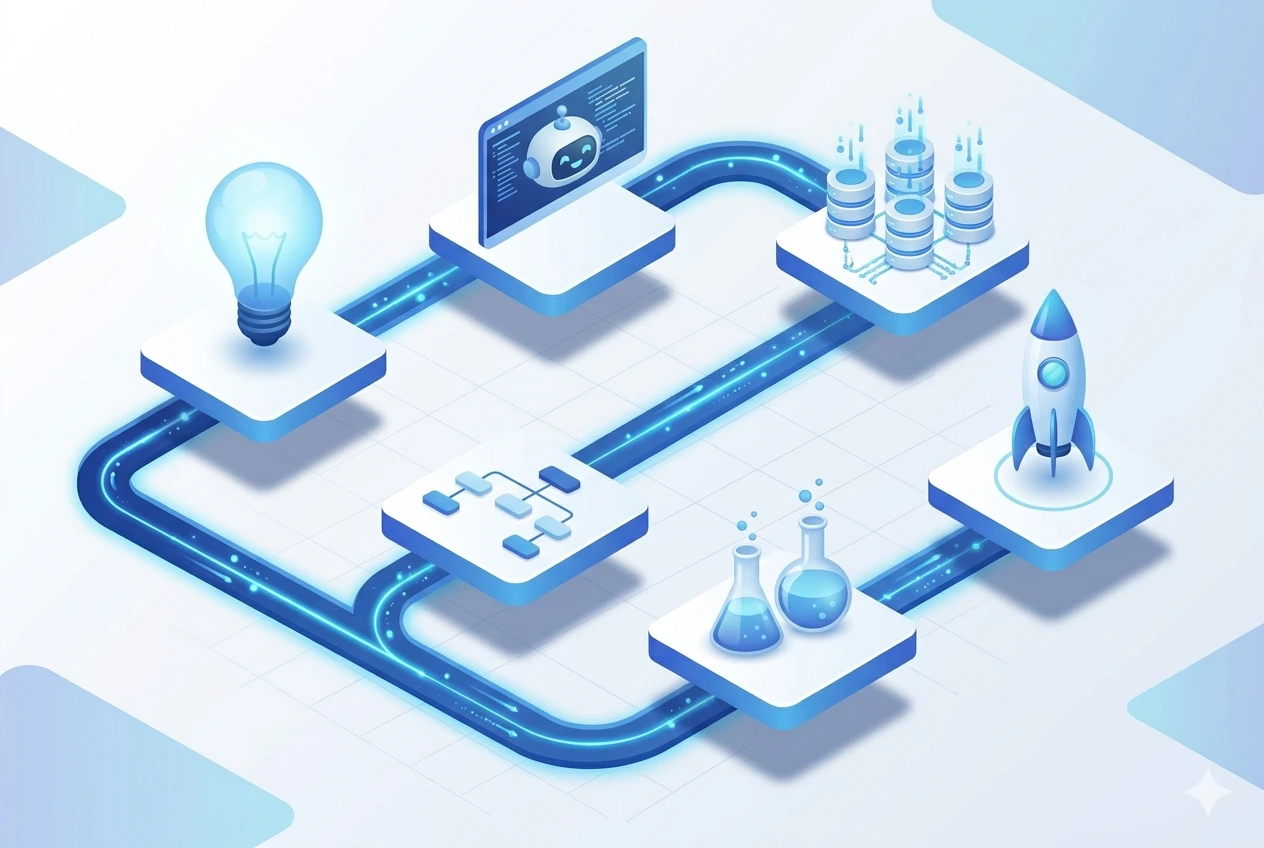
Building an AI agent in Copilot Studio follows a structured but flexible process. Here’s how it works:
Step 1: Define Your Use Case
Start by identifying the business problem your agent will solve. The most successful agent deployments begin with a clear, focused scope. Ask yourself:
What repetitive tasks are consuming my team’s time?
Where do customers or employees frequently ask the same questions?
Which processes involve multiple systems and manual data transfer?
Where would 24/7 automated support provide the most value?
Step 2: Create Your Agent
In Copilot Studio, you can create a new agent in minutes. The platform offers two approaches: start from a prebuilt template (Microsoft provides ready-made agents for common scenarios like IT helpdesk, HR onboarding, and customer service) or describe your agent in natural language and let the platform generate the initial configuration. You define the agent’s persona, instructions, tone of voice, and behavioral boundaries—ensuring it represents your organization appropriately.
Step 3: Connect Knowledge Sources
Your agent is only as good as the data it can access. Copilot Studio allows you to connect multiple knowledge sources so the agent can ground its responses in accurate, up-to-date information:
SharePoint document libraries (HR policies, product manuals, SOPs)
Dataverse tables (CRM records, business data)
Public or internal websites (knowledge bases, FAQ pages)
External APIs and databases (ERP systems, third-party platforms)
Step 4: Design Topics & Workflows
Topics are the building blocks of your agent’s conversation logic. Each topic represents a specific intent or scenario (e.g., “Check order status,” “Book a meeting,” “Request PTO”). You can design topics using the visual authoring canvas, or let generative AI automatically handle questions based on your connected knowledge sources—meaning you don’t need to manually create a topic for every possible question. For action-oriented workflows, you can connect Power Automate flows as “tools” that the agent can trigger—such as creating a support ticket, sending an email, updating a CRM record, or submitting an approval request.
Step 5: Test & Evaluate
Copilot Studio includes a built-in testing environment where you can simulate conversations with your agent before going live. The 2026 updates also introduce agent evaluation capabilities—allowing you to measure response quality, track conversation outcomes, and identify areas for improvement. Microsoft recommends deploying to a pilot group of 20–30 users first, collecting feedback for two weeks, and then iterating before a broader rollout.
Step 6: Deploy Across Channels
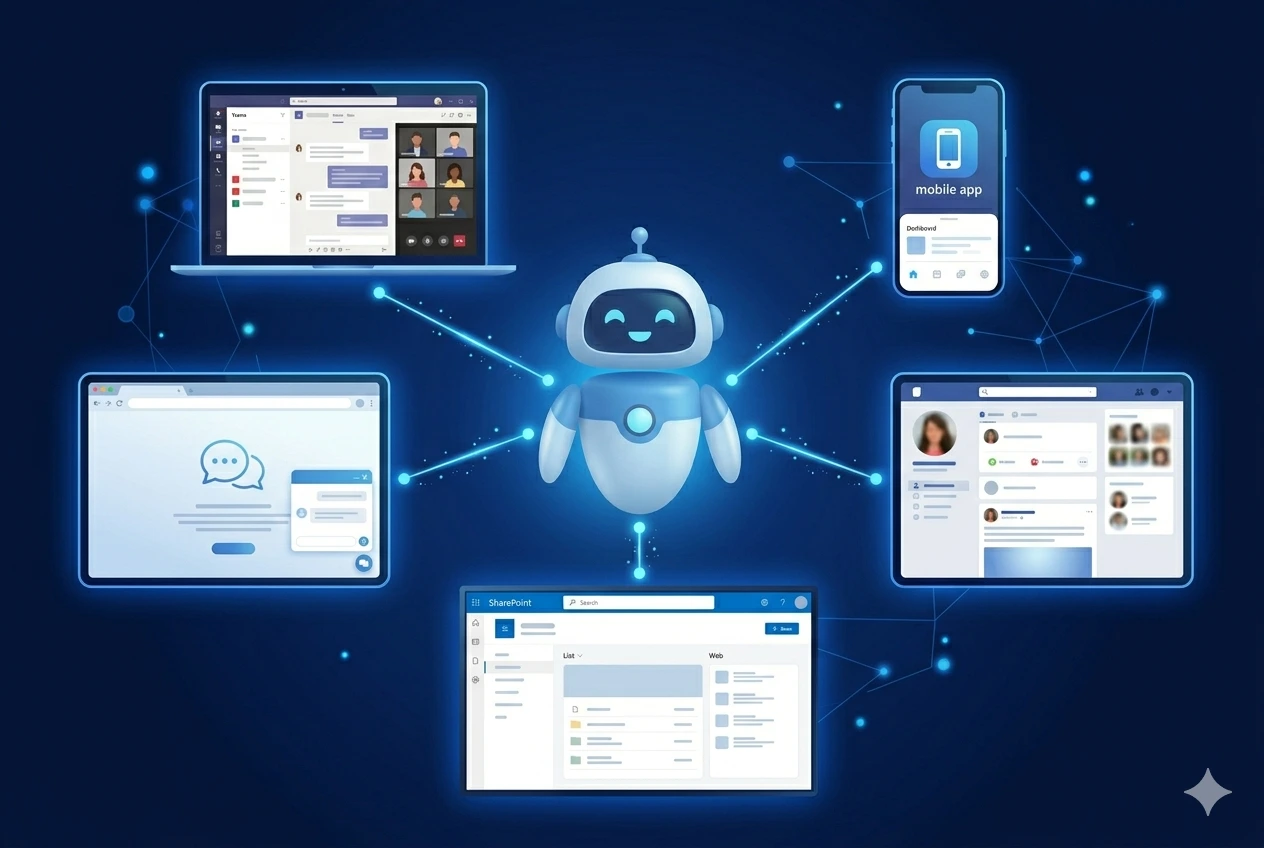
Once tested, your agent can be published to multiple channels simultaneously:
Microsoft Teams — for internal employee-facing agents
Company websites and web apps — for customer-facing support
Mobile applications — for on-the-go access
Microsoft 365 Copilot Chat — surfacing your agent inside the Copilot experience
Social platforms (Facebook, etc.) — via Azure Bot Service integration
Real Business Use Cases: How AI Agents Are Driving Automation
/me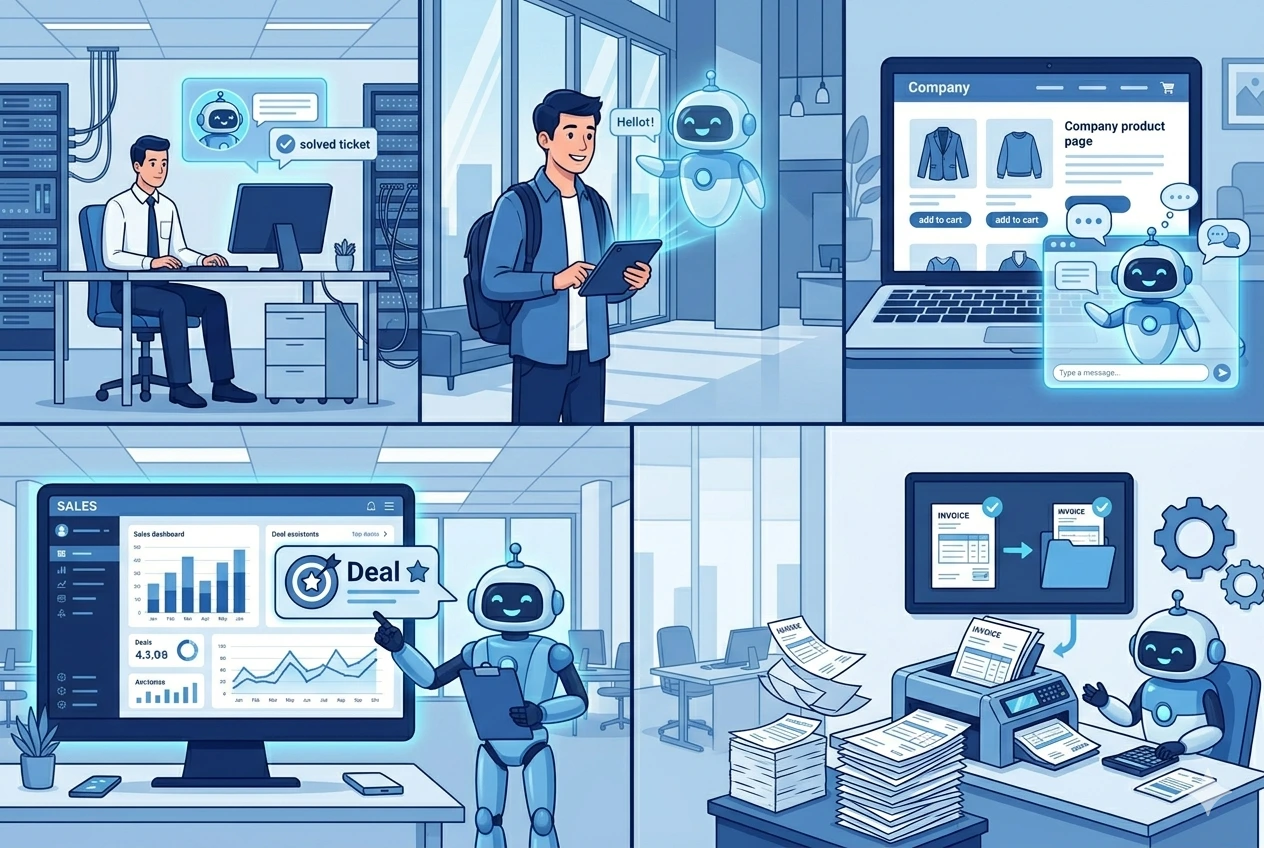
The power of Copilot Studio becomes clear when you see how organizations are using it to solve real business challenges. Here are the top use cases driving adoption in 2026:
1. IT Helpdesk Automation
IT helpdesks handle hundreds of repetitive queries every month—password resets, VPN issues, software access requests, and basic troubleshooting. An AI agent built in Copilot Studio can handle these instantly, 24/7, and escalate to a human only when it cannot resolve the issue.
What the agent does:
Troubleshoots common IT issues using your internal knowledge base
Creates and updates tickets in your ITSM tool automatically
Triggers password reset workflows via Power Automate
Escalates complex issues to the right support team with full context
Impact: Organizations report 40–60% reduction in routine IT support tickets within the first month of deployment.
2. Employee Onboarding & HR Self-Service
Onboarding new employees involves company orientation, role-specific training, credential setup, policy reviews, and countless questions that typically land in HR’s inbox. An AI agent can guide new hires through the entire onboarding journey while answering their questions in real time.
What the agent does:
Greets new hires and provides personalized onboarding checklists
Answers benefits, PTO, and policy questions by reasoning over HR documentation
Schedules onboarding meetings and introduces team buddies
Handles PTO requests, leave balance inquiries, and expense policy questions
Impact: Reduced onboarding time, increased new hire productivity, and significant reduction in repetitive HR inquiries—freeing HR teams for strategic work.
3. Customer Service & Support Automation
For businesses handling high volumes of customer inquiries—order status, product information, warranty claims, scheduling—an AI agent can manage the predictable interactions and route complex issues to human representatives with full context.
What the agent does:
Handles FAQs, order tracking, and product inquiries around the clock
Processes refund requests and warranty claims through automated workflows
Analyzes customer sentiment and escalates frustrated customers to live agents
Logs interactions in Dynamics 365 Customer Service for a complete service history
Impact: Reduced support costs, faster response times, improved customer satisfaction scores, and human agents freed to handle complex cases that require empathy and judgment.
4. Sales Enablement & CRM Automation
Sales teams spend significant time searching for product information, updating CRM records, and preparing for client meetings. A Copilot Studio agent connected to your Dynamics 365 CRM becomes a powerful sales assistant.
What the agent does:
Surfaces customer data, deal history, and competitive positioning on demand
Monitors pipeline changes and flags at-risk deals based on activity patterns
Drafts follow-up emails and schedules meetings directly from the conversation
Logs interactions and updates CRM records without reps leaving their workflow
Impact: Increased sales productivity, better lead management, faster deal cycles, and more accurate CRM data.
5. Finance & Operations Automation
AI agents can automate expense submissions, invoice processing, approval workflows, and financial reporting. An agent connected to Dynamics 365 Finance or Business Central can monitor inventory levels and automatically generate purchase orders based on real-time demand—turning reactive operations into proactive, intelligent processes. Organizations are also building agents that detect balance sheet variances, automate compliance checks, and provide real-time financial insights to leadership.
Why Copilot Studio Is the Platform for Business Automation in 2026
There are many AI platforms available today, but Copilot Studio stands out for businesses already invested in the Microsoft ecosystem. Here’s why:
Low-Code, High Impact
Business users—not just developers—can build and manage agents. The conversational authoring experience lets you describe your agent in natural language, and the platform generates the initial configuration. This democratizes AI development across the organization, reducing bottlenecks on IT teams.
Deep Microsoft Integration
Unlike standalone AI tools, Copilot Studio is natively integrated with the tools your organization already uses—Teams, SharePoint, Dynamics 365, Power Automate, and Dataverse. This means agents can access your business data, trigger workflows, and deploy into your existing communication channels without complex custom integrations.
Enterprise-Grade Governance & Security
Every agent inherits your organization’s security posture—role-based access controls, data loss prevention policies, and compliance frameworks. The Power Platform Admin Center provides centralized visibility into agent usage, cost, and performance. With the 2026 updates, AI-powered governance agents automatically monitor risk and enforce compliance—a critical requirement for regulated industries.
Scalable from Simple to Autonomous
You can start with a simple FAQ bot and evolve it into a fully autonomous agent that orchestrates complex business processes across multiple systems. The platform supports the entire spectrum—from Copilot Studio Lite (included with Microsoft 365 Copilot) for basic internal agents, to Copilot Studio Full for advanced, external-facing, multi-agent deployments.
Pre-Built Agents & Agent Store
Microsoft provides a growing library of pre-built agents for common scenarios—IT helpdesk, employee self-service, case management, scheduling operations, store operations, and more. You can deploy these immediately or customize them with your organization’s knowledge and business logic. This dramatically reduces time-to-value compared to building from scratch.
Getting Started: A Practical Approach

Based on what’s working for organizations in 2026, here’s a proven three-step approach to launching your AI agent strategy:
Get Quick Wins: Start with an internal, business-to-employee (B2E) agent—an HR FAQ bot, IT helpdesk agent, or internal knowledge assistant. These have the highest success rate because the scope is focused and the data is within your control. Deploy in Microsoft Teams where your employees already work.
Create a Center of Excellence (COE): As adoption grows, set up a central team that can triage cross-team needs, establish agent development best practices, manage governance, and help the broader organization build agents with confidence.
Scale Strategically: Once you’ve proven value with initial agents, expand into customer-facing deployments, multi-agent orchestration, and autonomous workflows. The organizations that succeed are not the ones that build the most agents—they’re the ones whose agents become part of how work actually happens.
Ready to Build Your First AI Agent? CloudVerve Technologies specializes in building custom AI agents with Copilot Studio, integrated with Dynamics 365 CRM, Power Automate, and your existing business systems. From defining your use case to deploying production-ready agents, our team of certified Microsoft experts guides you every step of the way. ✉ Contact us at www.cloudverve.com to schedule a free AI agent consultation. |
About CloudVerve Technologies
CloudVerve Technologies is a Microsoft solutions partner specializing in Dynamics 365 CRM, Power Platform, Copilot Studio, Azure, and eCommerce solutions. We help businesses across the USA, Europe, Middle East, and India transform their operations with intelligent automation and AI-powered agents.
Get in touch: www.cloudverve.com
Frequently asked questions
Here are some common questions about our company.
Microsoft Copilot Studio is a low-code platform that allows organizations to build, customize, and deploy AI-powered agents that can automate workflows, answer questions, and interact with users across multiple channels — without requiring deep coding expertise.
Yes. Copilot Studio is designed for business users with no development background. You can describe your agent in natural language, use prebuilt templates, and configure workflows visually using the low-code authoring canvas.
Top use cases include IT helpdesk automation, HR onboarding and self-service, customer service and support, sales enablement and CRM automation, and finance/operations workflow automation.
Agents can be deployed across Microsoft Teams, company websites, mobile apps, Microsoft 365 Copilot Chat, SharePoint, Facebook, and other channels supported by Azure Bot Service.
Copilot Studio Lite (included with Microsoft 365 Copilot) is for simple internal agents like FAQ bots. Copilot Studio Full supports advanced scenarios including external-facing agents, complex integrations, multi-agent orchestration, and custom connectors.